
Files
Cover image
Section titled “Cover image”PNG or JPG. Click the box to pick a file, or drop one on it. The cover is drawn sharp in the middle of the frame and, blurred and stretched, as the background behind it. A square image of at least 1080×1080 looks best; Spinclip never scales the sharp cover past the image’s own resolution.
WAV, MP3, FLAC, OGG, AIFF or M4A. Once picked, Spinclip reads the song and shows:
- its title and artist, when the file has them;
- length, format and codec, sample rate, bit depth, channels, bitrate and file size, and whether it’s lossless or lossy;
- its waveform, in the visualizer’s colour, and a Play song button.
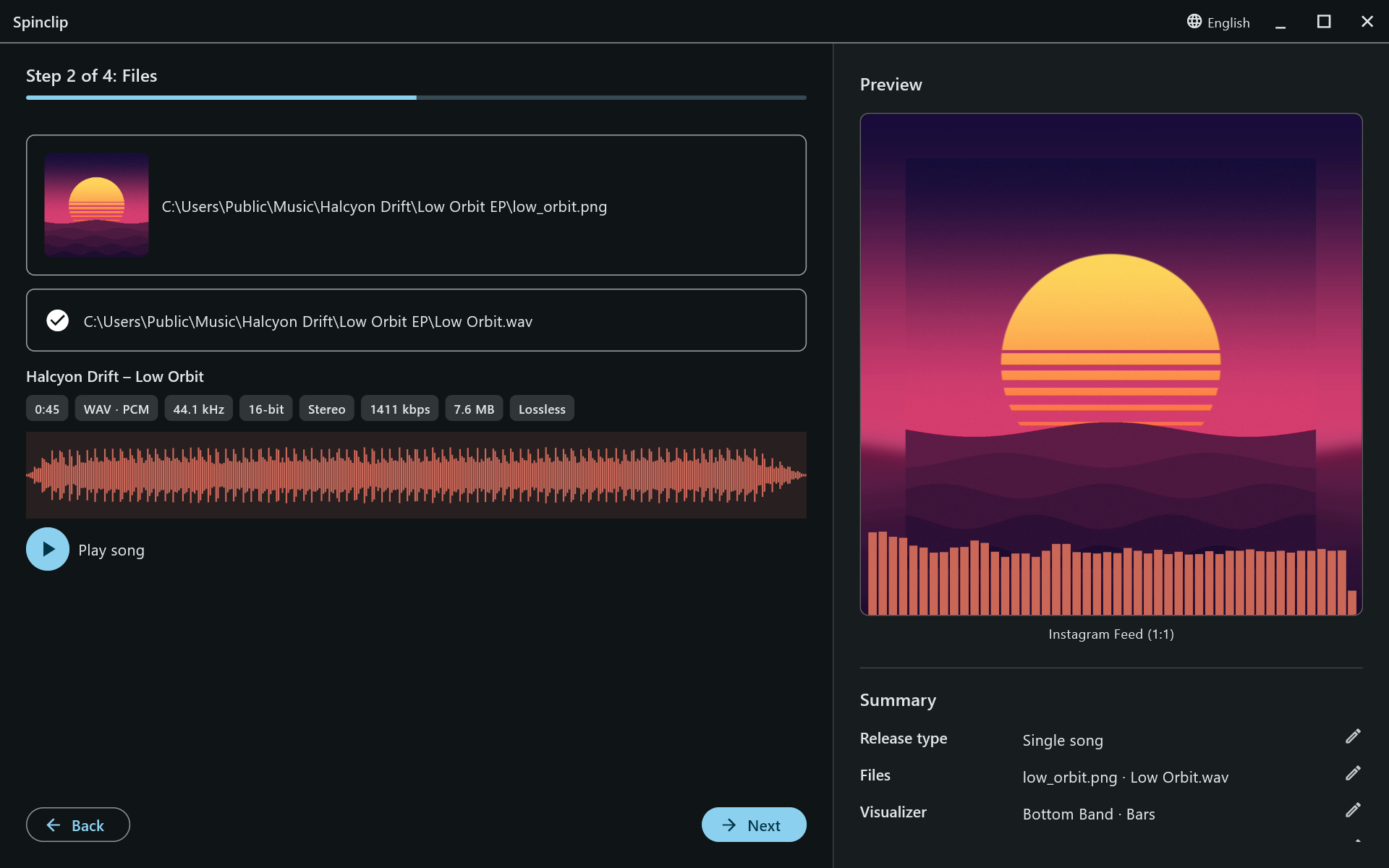
Next waits until the cover and the audio are both there.
Multiple songs and medleys
Section titled “Multiple songs and medleys”For multiple songs or a medley, the cover box becomes the default cover, and Add song adds songs to a list — several at once if you select several files.
Each song in the list shows its details and waveform, and:
- Set cover gives that song its own cover; × goes back to the default.
- The bin removes it from the list.
- In a medley, Start and Excerpt duration (in seconds) pick the part of the song that plays; the waveform highlights it.
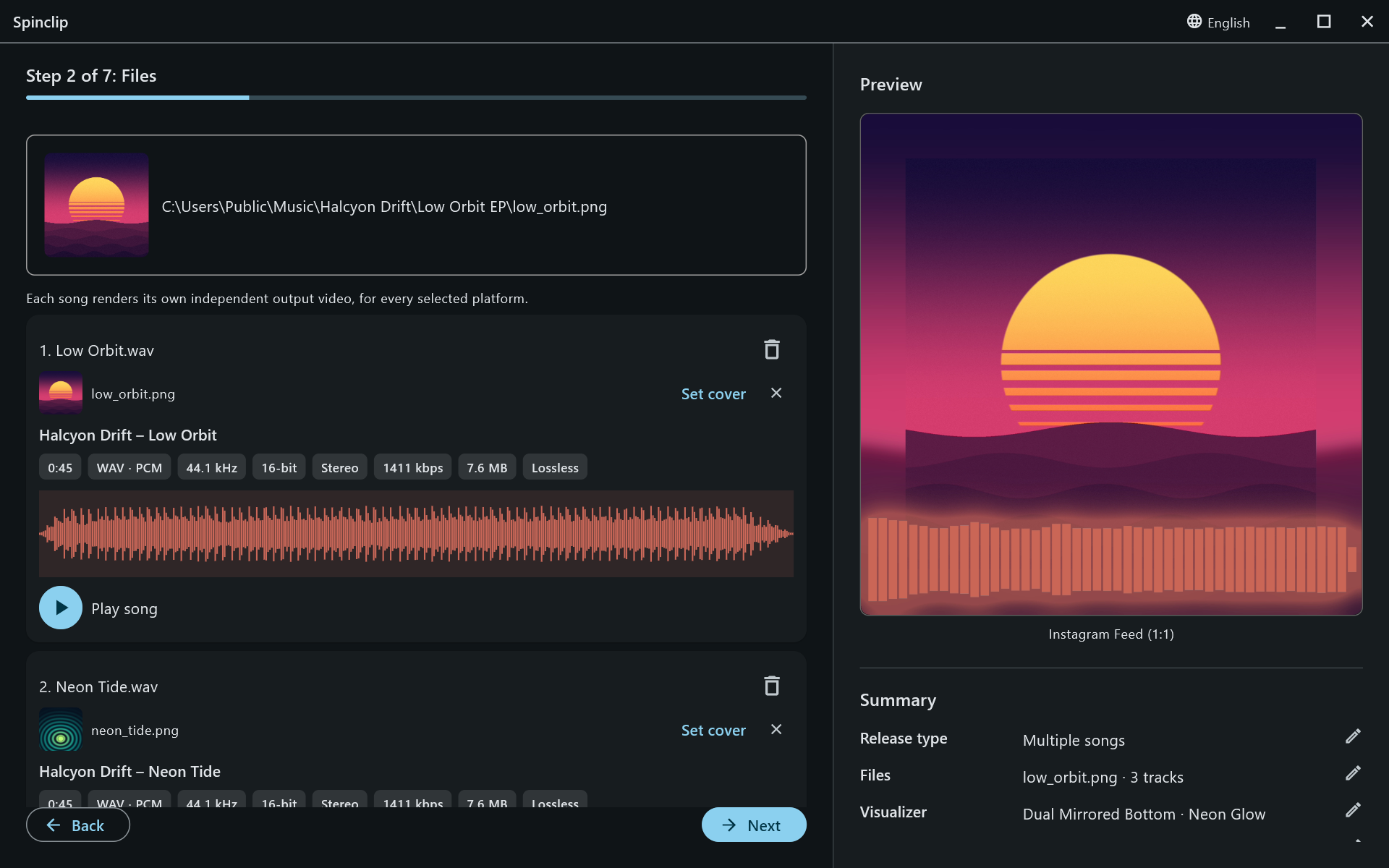
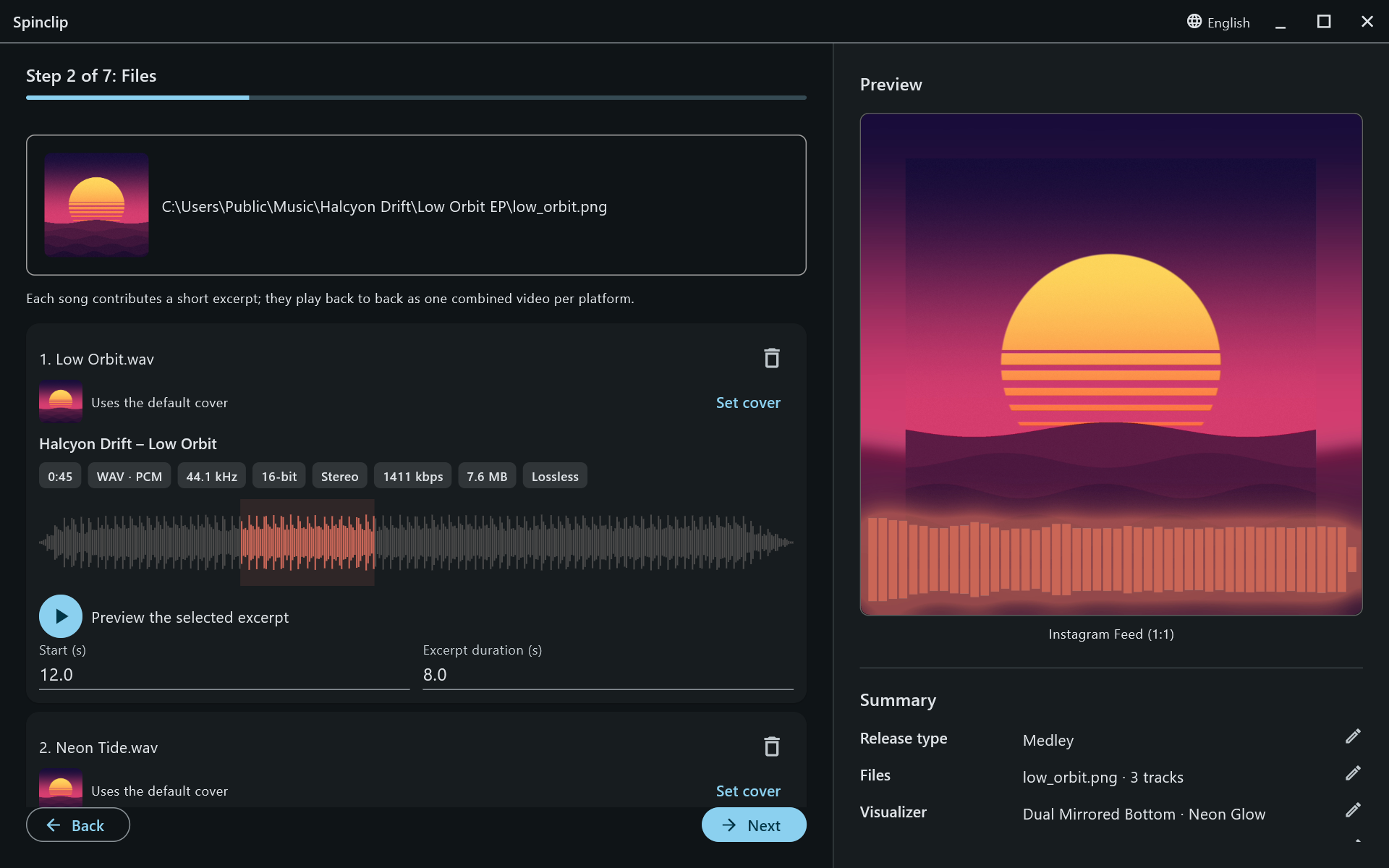
The preview shows the first song in the list.